Shared Folder Access by Students
Step 1: The student
must Save the file in his or her personal
folder or P:\ drive.
Step 2: Open the
Internet Explorer program,
A: Select File|Open.

B: Choose Browse,

C: Select My Computer,

D: Select Files of Type:
and choose All Files
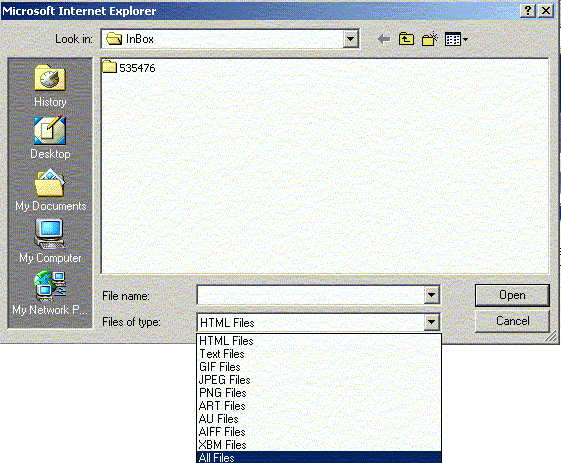
E: Select P:\ and highlight
the file that they saved in step 1.

F: Right-click while
the file is selected and choose Copy
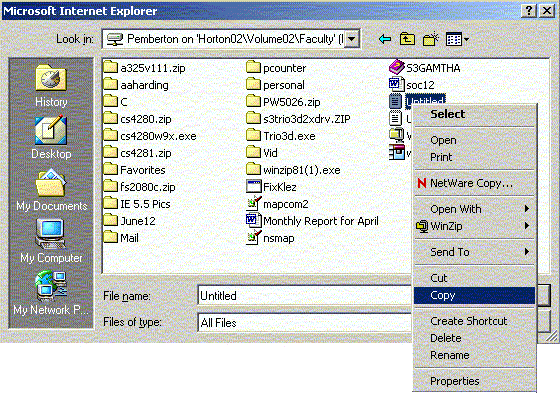
Step 3: Select Look in: and select the
down arrow.

A: Select S:\ , choose the teacher’s folder,
and select Inbox.
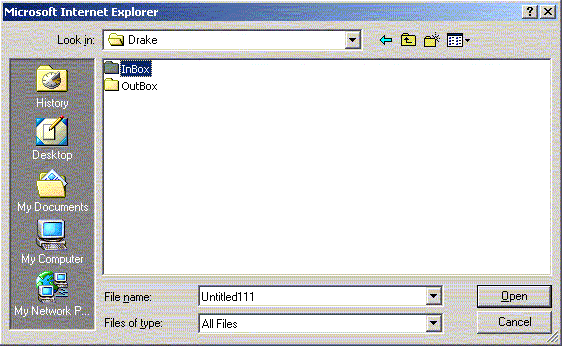
B: Select any sub-folder as directed by
the teacher,
C: Right-click while in the folder
and select Paste.
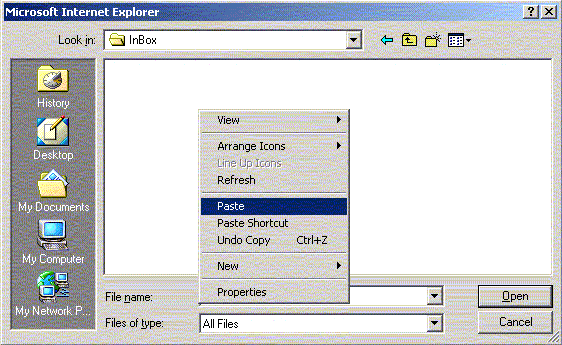
Note:
If an error message comes up requesting permission to replace a file
with the existing name, have the student rename the file in their personal
drive and repeat the process to place a copy in your inbox.